

Table of Contents
- What UK Private Clinics Actually Need From Healthcare Practice Management Solutions
- Best Medical Practice Management Software UK: 9 Platforms Reviewed
- Semble: Best for Modern Private Clinics and Consultants
- Medesk: Best for Reporting and Patient Engagement
- WriteUpp: Best for Solo Practitioners and Small Clinics
- e-clinic: Best for Scaling Multi-Site Operations
- DGL Practice Manager: Best for Established Consultants
- Pabau: Best for Aesthetic and Allied Health Clinics
- TouchPoints.health: Best for Outcome-Driven Specialists
- GoodX: Best for Reducing Administrative Friction
- PracticePal: Best for Cost-Conscious Allied Health Practices
- Practice Management Software Features Checklist for UK Buyers
- Cost of Medical Practice Management Software UK: TCO Breakdown
- GDPR Compliance for Healthcare Software UK: What You Must Verify
- How to Choose the Right Healthcare Practice Management Solution for Your UK Clinic
- Conclusion
Last Updated: May 13, 2026
Choosing the wrong practice management system costs UK private clinics far more than the subscription fee. Disrupted workflows, failed data migrations, and compliance gaps can take months to untangle. This guide covers healthcare practice management solutions uk in full, from the nine best platforms to a Total Cost of Ownership breakdown that most vendors would rather you never saw. At Medical Management Tutorial, we’ve analysed the private healthcare software market to give you an objective, buyer-centric view rather than another lead-generation listicle dressed up as advice.
Here’s what most guides get wrong: they rank software by feature count rather than fit. A platform with 200 features is worthless if your team abandons it after three months. Below, we’ll show you exactly how to match each platform to your clinic type, what switching actually costs, and which GDPR obligations vendors routinely understate.
What UK Private Clinics Actually Need From Healthcare Practice Management Solutions
Private clinics in the UK operate in a structurally different environment from NHS settings. They manage insurer billing, self-pay patients, and consultant-led referral networks simultaneously. The right practice management software must handle all three without forcing your team to maintain parallel systems.
The core requirements for any credible UK solution are: a GDPR-compliant cloud-based architecture, integrated EHR and clinical notes, automated billing with Healthcode connectivity, and patient scheduling with appointment reminders. Telemedicine functionality and a patient portal have shifted from nice-to-have to expected features as patient engagement expectations have risen sharply.
What separates adequate software from genuinely good software is interoperability. UK private clinics increasingly need to communicate with NHS systems, share referral information with consultants, and export clinical data in formats that insurers accept. Platforms that treat interoperability as an afterthought create administrative friction that compounds daily.
Multi-login support also matters more than most buyers realise at the point of purchase. A clinic with three consultants sharing one login is a GDPR liability waiting to happen.
The Hidden Cost of Getting This Decision Wrong
Switching practice management systems is expensive in ways vendors don’t advertise. The direct costs include data migration, staff retraining, and potential downtime during transition. The indirect costs include reduced billing efficiency during the learning curve, patient no-shows caused by reminder system gaps, and clinical governance risks if records aren’t transferred cleanly.
A common mistake is selecting software based on a demo rather than a structured evaluation against your actual workflow. Demos are designed to show what the platform does well. They rarely reveal how it handles your edge cases: split billing between insurer and self-pay, multi-site diary management, or custom clinical note templates for specialist consultants.
Never sign a multi-year contract before completing a live pilot with real patient data. Vendors who resist pilot periods are often the ones whose onboarding process is weakest. A failed migration mid-contract leaves you paying for a system you can’t use.
Best Medical Practice Management Software UK: 9 Platforms Reviewed
Selecting the best medical practice management software UK clinics can rely on requires looking beyond marketing pages. The nine platforms below represent the realistic shortlist for UK private healthcare in 2026, covering everything from solo practitioners to multi-site operations.
Here’s a summary comparison before the detailed reviews:
| Platform | Best For | EHR | Telemedicine | Healthcode | Multi-Site |
|---|---|---|---|---|---|
| Semble | Modern private clinics | Yes | No | Yes | Limited |
| Medesk | Reporting-focused clinics | Yes | No | Yes | Yes |
| WriteUpp | Solo/small practices | Yes | Yes | Yes | No |
| e-clinic | Scaling multi-site | Yes | No | Yes | Yes |
| DGL Practice Manager | Established consultants | Yes | No | Yes | Yes |
| Pabau | Aesthetic/allied health | Yes | No | No | Yes |
| TouchPoints.health | Outcome-driven specialists | Yes | No | Yes | No |
| GoodX | Reducing admin friction | Yes | No | Yes | Yes |
| PracticePal | Cost-conscious allied health | Yes | No | No | No |
Semble: Best for Modern Private Clinics and Consultants
Semble is a cloud-based platform built specifically for UK private healthcare, and its interface shows it. The EHR uses customisable templates that consultants can adapt without IT support, and the automated patient communication tools handle appointment reminders, confirmations, and follow-up messages without manual intervention.
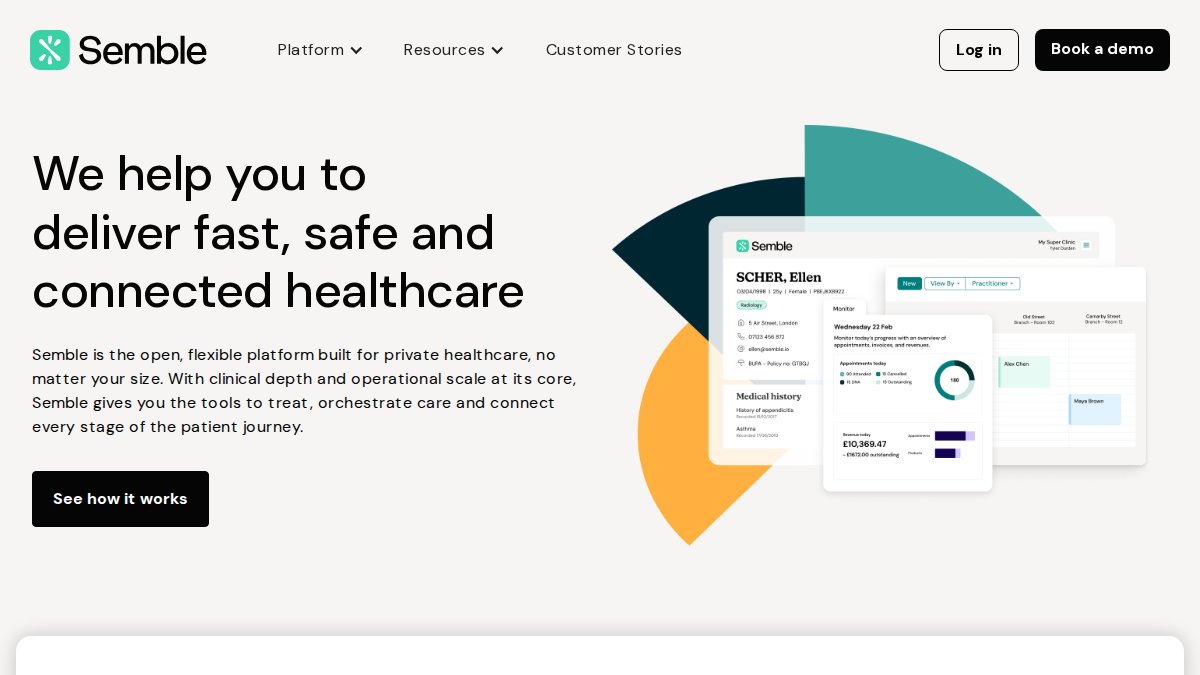
The Xero and Healthcode integrations are genuinely seamless rather than bolt-on, which matters for automated billing accuracy. Pricing isn’t publicly listed, which is a frustration for buyers doing early-stage comparisons.
Pros: Intuitive modern interface; strong UK-specific integrations
Cons: Opaque pricing; limited multi-site capability at entry tier
Private clinics and independent consultants who prioritise a clean clinical workflow and want billing handled through Healthcode without a separate finance system.
Medesk: Best for Reporting and Patient Engagement
What distinguishes Medesk from most competitors is the depth of its reporting and analytics layer. Pre-built business reports cover appointment conversion rates, revenue per clinician, and patient retention metrics. For clinic managers who want to run their practice on data rather than intuition, this is a material advantage.
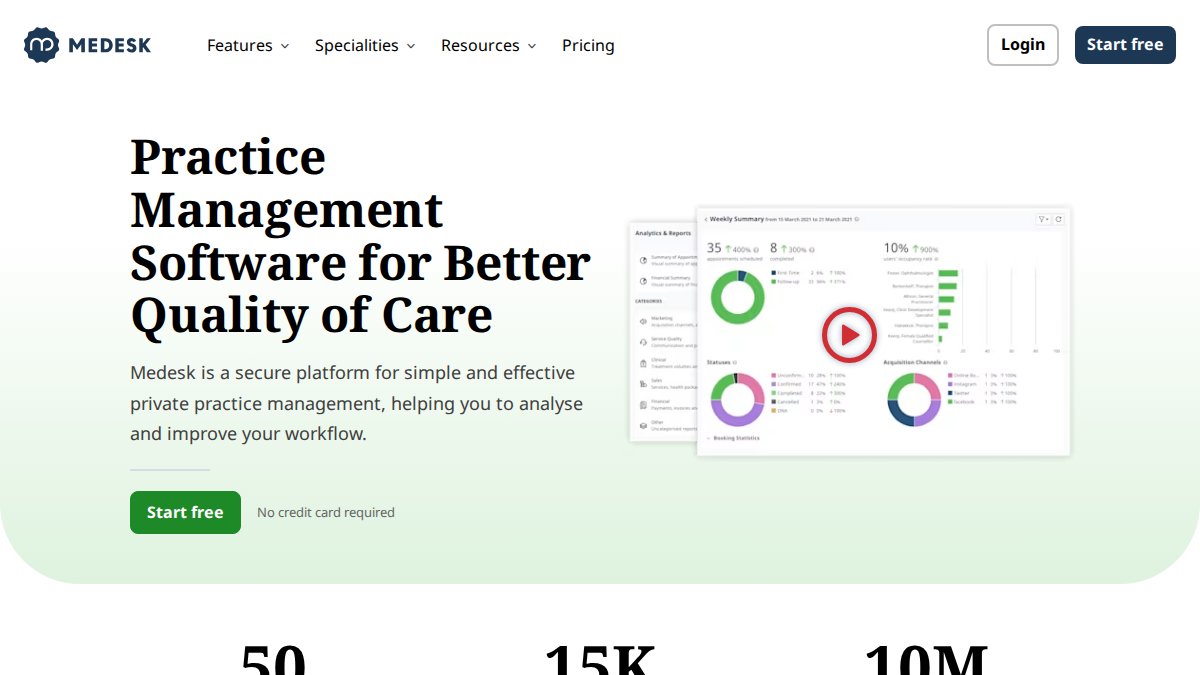
The integrated EHR includes e-prescribing tools, and the patient portal allows self-booking and document access. Automated SMS and email reminders are built in rather than requiring a third-party integration. The learning curve is steeper than Semble or WriteUpp, but the depth justifies it for clinics that will actually use the analytics.
Pros: Extensive pre-built reports; strong patient engagement features
Cons: Steeper onboarding; can feel overwhelming for smaller practices
WriteUpp: Best for Solo Practitioners and Small Clinics
WriteUpp earns its place on this list by doing the basics exceptionally well. Setup typically takes less than a day for a solo practitioner, and the customisable clinical note templates cover most therapy and allied health disciplines out of the box.
The built-in telemedicine functionality means video consultations don’t require a separate platform. Xero, Square, and Healthcode integrations handle billing without complexity. The honest limitation is that WriteUpp wasn’t designed for large multi-site operations, and it shows when you try to push it beyond its intended scale.
Pros: Fast setup; excellent UK billing workflow support; telemedicine included
Cons: Not suited to complex multi-site clinic groups
e-clinic: Best for Scaling Multi-Site Operations
e-clinic takes a different approach from most platforms by treating patient acquisition and marketing automation as core features rather than add-ons. For ambitious private clinics planning to open additional sites, this matters. The multi-site architecture handles separate diaries, staff rotas, and financial reporting across locations without requiring workarounds.
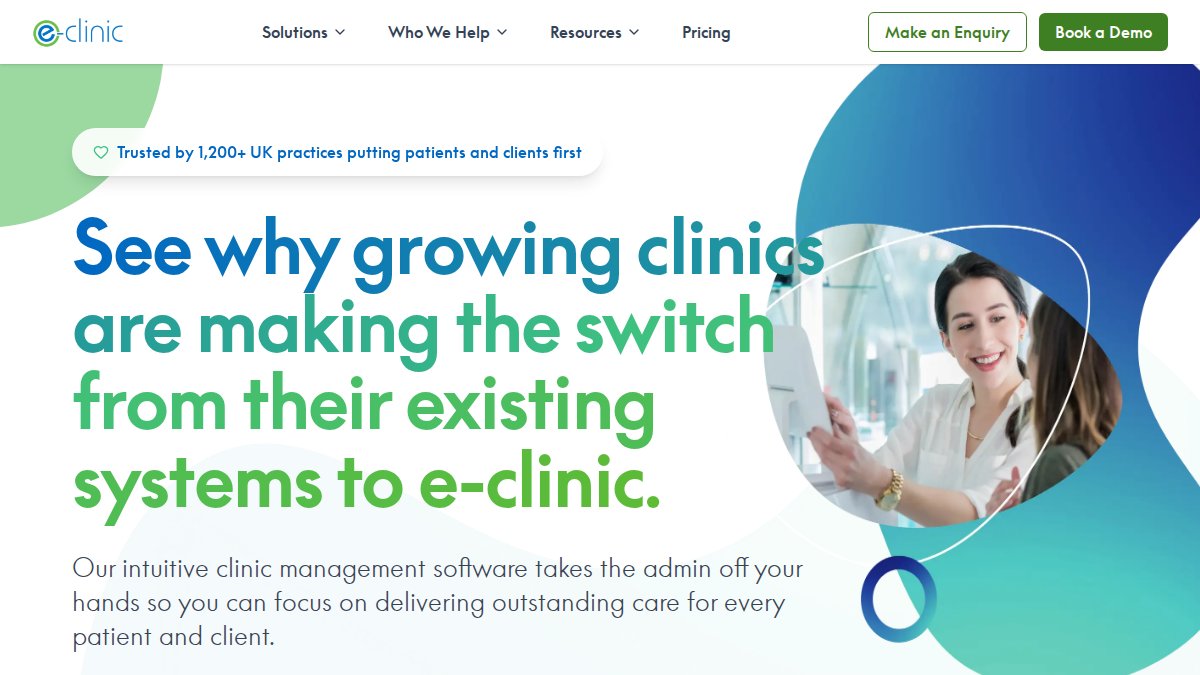
The secure collaboration tools support multi-disciplinary teams, which is increasingly relevant as clinics add physiotherapy, psychology, and dietetics to their consultant-led offering. It’s more complex than entry-level solutions, and that complexity has a cost in onboarding time.
Pros: Built for growth; marketing automation included; genuine multi-site support
Cons: Overkill for single-site clinics; longer implementation timeline
DGL Practice Manager: Best for Established Consultants
DGL Practice Manager has been the default choice for UK consultants and medical secretaries for years, and the reason is reliability. The platform’s comprehensive clinical and financial reporting covers the full consultant workflow, and the Microsoft Office integration means letters and referrals slot into existing secretary workflows without disruption.
Pros: Deep track record; paperless document management; Office integration
Cons: Interface feels dated against cloud-native competitors
What most reviews miss about DGL is that its stability is a genuine feature for consultants who don’t want to be early adopters of new technology. If your practice runs smoothly on DGL today, the case for switching needs to be compelling, not just cosmetic.
Pabau: Best for Aesthetic and Allied Health Clinics
Pabau’s flexibility makes it the natural fit for aesthetic clinics, where treatment note requirements, consent forms, and before-and-after photography workflows differ significantly from general medical practice. The customisable treatment notes and medical forms can be configured without developer involvement.
The marketing and patient loyalty tools are more developed than most clinical platforms, reflecting Pabau’s understanding that aesthetic clinics compete on patient retention as much as clinical outcomes. Integrated payment processing removes a common friction point at checkout.
Pros: Highly customisable; strong patient retention tools; flexible form builder
Cons: Feature depth can overwhelm practices with simple needs
TouchPoints.health: Best for Outcome-Driven Specialists
TouchPoints.health occupies a specific niche: consultants and specialists who want to track patient outcomes longitudinally rather than just manage appointments. The visual patient timeline gives a clear view of the full care journey, and real-time clinical outcome reporting supports both clinical governance and insurer reporting requirements.
Pros: Unique outcome-tracking focus; ISO 27001:2022 certified; modern design
Cons: Niche positioning limits general practice applicability
The ISO 27001:2022 certification is worth noting for specialists handling sensitive data. This is a higher data security standard than most competitors explicitly certify to, which matters for practices operating under strict clinical governance frameworks.
GoodX: Best for Reducing Administrative Friction
GoodX was built around a simple premise: most practice management platforms add complexity rather than remove it. The single-view diary combines bookings and clinical tasks in one screen, and the automated invoice generation reduces the manual billing steps that consume medical secretary time.
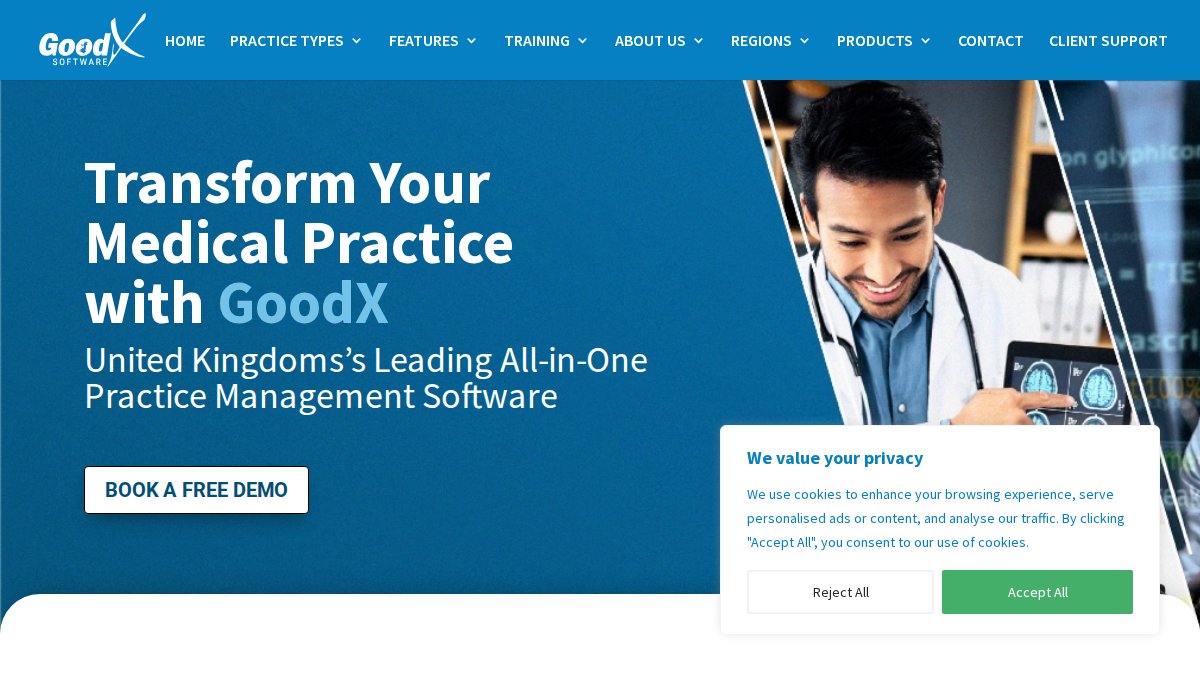
Built-in GDPR compliance tools and cloud-based access across all devices make it a practical choice for practices that have struggled with compliance overhead. The limitation is limited public documentation on specific third-party integrations, which requires a direct conversation with their sales team before committing.
Pros: Minimal admin overhead; strong UK compliance focus; clean diary view
Cons: Integration depth requires verification before purchase
PracticePal: Best for Cost-Conscious Allied Health Practices
PracticePal delivers core practice management functionality at a price point that makes sense for allied health and complementary medicine clinics operating on tighter margins. Scheduling, medical records, billing, online booking, and GDPR compliance are all covered without enterprise-grade pricing.
Pros: High value for money; enterprise-level security; UK-based support
Cons: Fewer advanced features than larger platforms
The thing nobody tells you about PracticePal is that its customer retention rates suggest the platform does exactly what it promises without unexpected gaps. For a small physiotherapy or osteopathy practice, that consistency matters more than a feature list you’ll never use.
Practice Management Software Features Checklist for UK Buyers
Before contacting any vendor, work through this checklist. It separates the features that directly affect clinical and financial performance from the ones that appear in every demo but rarely justify their cost.
Must-Have vs. Nice-to-Have: Separating Core Features From Upsells
Must-have features for UK private clinics:
- GDPR-compliant cloud-based data storage with UK data residency
- EHR with customisable clinical note templates
- Automated appointment reminders via SMS and email
- Healthcode integration for insurer billing
- Patient scheduling with online booking capability
- Multi-login with role-based access controls
- Automated invoice generation and payment tracking
- Referral management and consultant correspondence tools
- Data export in standard formats (PDF, HL7, CSV)
- UK-based technical support with defined response SLAs
Nice-to-have (evaluate based on your specific model):
- Telemedicine/video consultation functionality
- Patient portal with self-service document access
- Marketing automation and patient acquisition tools
- Reporting and analytics dashboards
- Integrated prescribing tools
- Multi-site diary management
- Outcome tracking and clinical governance reporting
Ask vendors specifically which features are included in the base subscription versus charged as add-ons. Appointment reminders, patient portals, and reporting dashboards are commonly upsold as premium tiers on platforms that advertise them as core features.
Cost of Medical Practice Management Software UK: TCO Breakdown
The cost of medical practice management software UK clinics actually pay bears little resemblance to the headline subscription price. A realistic Total Cost of Ownership calculation must include implementation, training, data migration, and the productivity dip during transition.
A typical TCO breakdown for a small-to-medium private clinic switching systems looks like this:
| Cost Category | Typical Range | Notes |
|---|---|---|
| Annual subscription | Varies by platform | Per-user pricing common |
| Implementation/setup | One-off fee | Often underquoted |
| Data migration | Varies by record volume | Frequently excluded from quotes |
| Staff training | Time cost | 2-5 days typical |
| Productivity loss | 4-8 weeks | Reduced billing efficiency |
| Ongoing support | Included or add-on | Verify SLA terms |
Data Migration and Switching Costs Vendors Don’t Advertise
Data migration is where switching costs are most consistently underestimated. Moving clinical records, billing history, and patient demographics from one system to another is rarely a clean export-import process. Proprietary data formats, incomplete field mapping, and legacy record structures all create friction.
According to NHS Digital’s guidance on health record migration standards, structured data migration in healthcare requires validation at every stage to preserve clinical record integrity. Private clinics should apply the same rigour even when not subject to NHS mandates.
The practical advice: request a sample data migration from your current system before signing any contract. Any vendor who can’t demonstrate a clean migration of 100 anonymised records before contract signature is signalling that their migration process is underdeveloped.
Interoperability with NHS systems is a separate consideration. Clinics that receive NHS referrals or need to share discharge summaries with GP practices require platforms that can handle NHS messaging standards. This narrows the field significantly and should be confirmed technically, not just verbally.
GDPR Compliance for Healthcare Software UK: What You Must Verify
GDPR compliance for healthcare software UK buyers need to verify goes well beyond a vendor’s marketing claims. Healthcare data is classified as special category data under UK GDPR, which triggers additional obligations for both the clinic as data controller and the software vendor as data processor.

The UK Information Commissioner’s Office guidance on health data sets out the specific requirements for processing special category health data, including the lawful basis, data subject rights obligations, and breach notification timelines. Every clinic should read this before evaluating any platform.
Verify these specific points with every vendor:
- Data Processing Agreement (DPA): A signed DPA must be in place before any patient data enters the system. This is a legal requirement, not a formality.
- Data residency: Confirm that all data is stored on UK or EEA servers. Post-Brexit, transfers to US-based servers require additional safeguards.
- Access controls: Multi-login with role-based permissions is a GDPR requirement, not a feature upgrade.
- Breach notification: Vendors must contractually commit to notifying you within 72 hours of a data breach. Verify this is in the DPA.
- Data deletion: Confirm the process for deleting patient records on request and at end of contract.
A common mistake is accepting a vendor’s self-certification of GDPR compliance without reviewing the DPA. The DPA is the legally binding document. Marketing claims about compliance are not.
GDPR compliance in healthcare software is a legal obligation, not a differentiating feature. Any platform that presents GDPR compliance as a premium selling point rather than a baseline is telling you something important about how they approach their obligations.
How to Choose the Right Healthcare Practice Management Solution for Your UK Clinic
The right decision framework for healthcare practice management solutions uk buyers comes down to three variables: clinic type, growth trajectory, and switching cost tolerance.
Use this decision guide:
If you are a solo practitioner or small allied health clinic: WriteUpp or PracticePal. Both offer fast setup, UK billing support, and pricing that makes sense at low volume. Don’t pay for multi-site architecture you’ll never use.
If you are a single-site private clinic with 3-10 clinicians: Semble, Medesk, or GoodX. These platforms balance clinical depth with administrative efficiency. Medesk suits data-driven managers; Semble suits clinicians who prioritise interface quality; GoodX suits practices that want to minimise admin overhead above all else.
If you are scaling to multiple sites: e-clinic is the most purpose-built option. DGL Practice Manager is the safer choice if your team is already familiar with it and the growth timeline is gradual.
If you are a specialist consultant or outcome-focused practice: TouchPoints.health offers a genuinely differentiated approach to longitudinal patient journey tracking that no other platform on this list matches.
If you run an aesthetic or allied health clinic: Pabau’s customisation depth and patient retention tools make it the natural fit.
The Medical Management Tutorial framework for evaluating practice management software prioritises three things in sequence: compliance first, clinical workflow fit second, and administrative efficiency third. Clinics that reverse this order typically end up with software that passes a demo but fails in daily use.
Before finalising any decision, request references from clinics of similar size and specialty. Vendor-provided case studies are curated. Direct conversations with existing users are not.
For additional context on how UK healthcare administration standards are evolving, the Private Healthcare Information Network’s transparency guidance provides useful background on data and reporting expectations for private providers.
Selecting the right platform from the range of healthcare practice management solutions uk available in 2026 is genuinely complex, and the cost of getting it wrong compounds over time through billing inefficiency, compliance gaps, and staff friction. Medical Management Tutorial provides detailed guidance on practice management courses, software evaluation frameworks, and administrative efficiency strategies to help clinics make this decision with confidence. The platform’s resources cover clinical workflow optimisation, billing process improvement, and patient flow analysis. Explore Medical Management Tutorial and build the administrative foundation your practice needs to grow without the friction.
Frequently Asked Questions
What is a healthcare practice management system?
A healthcare practice management system is software that handles the administrative and clinical workflows of a private clinic or medical practice. This typically includes patient scheduling, clinical notes, EHR or EMR records, automated billing, appointment reminders, and reporting and analytics. In the UK, the best solutions are cloud-based, GDPR compliant, and built to support independent practitioners and private healthcare providers who need to reduce admin friction while improving patient flow and overall practice efficiency.
What features should I look for in a UK practice management solution?
A solid practice management software features checklist for UK clinics should include: integrated EHR and clinical notes, automated patient scheduling and appointment reminders, medical billing and invoicing, a patient portal, GDPR-compliant data storage, reporting and analytics, and telemedicine capability. For growing practices, also prioritise multi-login support, referral management, interoperability with NHS systems, and scalable SaaS pricing. Avoid paying for marketing features you won't use until core clinical workflow tools are fully operational.
How much does practice management software cost in the UK?
Most UK healthcare practice management solutions use subscription-based SaaS pricing and do not publish rates publicly, you typically need to request a quote. Beyond the monthly licence fee, the true cost of medical practice management software UK clinics face includes data migration fees, staff training time, technical support costs, and potential integration development. When evaluating options, always request a total cost of ownership breakdown covering at least a 24-month horizon to avoid unexpected expenses after switching systems.
Is healthcare practice management software GDPR compliant in the UK?
Reputable UK-focused platforms are built with GDPR compliance for healthcare software UK requirements in mind, including encrypted data storage, audit trails, and controlled access to medical records. However, GDPR compliance is not automatic, you must verify where patient data is hosted, whether the vendor acts as a data processor under a signed Data Processing Agreement, and how subject access requests are handled. Always request written confirmation of ISO 27001 certification or equivalent data security standards before signing a contract.
Can practice management software integrate with NHS systems?
Interoperability with NHS systems varies significantly across healthcare practice management solutions UK vendors offer. Some platforms, particularly those built for private consultants, focus on private insurer billing via Healthcode rather than direct NHS integration. If your clinic operates across both NHS and private healthcare, confirm whether the software supports HL7 or FHIR data standards, can import NHS referral letters, and connects with NHS login or summary care records. This is a critical but often overlooked factor in the buying process.
What are the risks of implementing AI features in practice management software?
AI features in practice management software, such as automated clinical notes or predictive scheduling, can improve practice efficiency, but carry real risks for UK clinics. These include AI-generated errors in clinical documentation, data governance gaps if AI tools process patient data outside GDPR-compliant boundaries, and over-reliance on automation in clinical governance decisions. Before adopting any AI-driven feature, verify how the vendor handles model training data, whether outputs are auditable, and that clinical staff retain full review responsibility over AI-assisted records.