


Table of Contents
- How to Compare Medical Practice Management Systems: Key Criteria
- Essential Medical Practice Management Software Features to Evaluate
- EHR vs Practice Management Software: Understanding the Difference
- Top Systems Compared: athenahealth, AdvancedMD, Kareo, and Practice Fusion
- Cloud-Based Practice Management Software: Pros, Cons, and Top Picks
- Practice Management Software Reviews: What Real Users Say
- Which System Should You Choose? A Decision Framework to Compare Medical Practice Management Systems
- Conclusion
Last Updated: May 3, 2026
Choosing the right software platform can define whether your practice runs smoothly or drowns in paperwork. To compare medical practice management systems effectively, you need to look beyond feature lists and evaluate how each platform handles billing, scheduling, compliance, and patient flow in real clinical conditions. This guide from Medical Management Tutorial breaks down the top systems, the criteria that actually matter, and a practical decision framework so you can stop guessing and start choosing. Below, we’ll show you exactly how to evaluate platforms side by side, including the angles most comparison guides skip entirely.
Most practices underestimate how much the wrong system costs them. Administrative inefficiencies, denied claims, and poor patient registration workflows don’t show up as line items on a software invoice, but they hit revenue hard. The right practice management software doesn’t just organize your schedule; it tightens your entire revenue cycle management operation from eligibility checks to final payment.
Here’s what most guides get wrong: they treat all practice management software as interchangeable and rank by feature count. The real differentiator is fit. A platform perfect for a large multi-specialty group can actively hurt a solo independent practice.
How to Compare Medical Practice Management Systems: Key Criteria
The most important first step when you compare medical practice management systems is defining what your practice actually needs, not what a vendor wants to sell you. Two criteria consistently separate high-performing implementations from expensive mistakes: workflow efficiency and security architecture.
Workflow Efficiency and Administrative Task Automation
Administrative tasks consume a disproportionate share of clinical staff time in most physician practices. The best practice management software reduces that burden through automation at every touchpoint: patient registration, eligibility checks, appointment reminders, referral management, and claims processing.
Look for systems that automate eligibility verification before the patient arrives, not after. Denial management workflows should trigger automatically when a claim is rejected, routing it to the correct staff member with context attached. Appointment waitlists, like the one built into AdvancedMD, fill open slots from cancellations without requiring manual intervention.
When evaluating workflow automation, ask vendors for a demo of their denial management process specifically. A system that automates eligibility checks but requires manual denial follow-up still creates significant administrative drag.
Reporting matters here too. Practices that can’t see their own bottlenecks can’t fix them. Prioritize platforms with configurable dashboards that surface scheduling gaps, claim aging, and staff workload in real time.
HIPAA Compliance, Data Security, and Cloud vs. On-Premise
HIPAA compliance is non-negotiable, but not all vendors treat it the same way. According to HHS Office for Civil Rights HIPAA guidance, covered entities are responsible for ensuring their business associates maintain appropriate safeguards, which means your software vendor’s security posture directly affects your liability.
Cloud-based systems typically handle infrastructure security, automatic updates, and disaster recovery on the vendor’s side, reducing your IT burden. On-premise systems give you direct control over data storage but require internal resources to maintain compliance. For most independent practices and small physician groups, cloud-based platforms offer a more practical path to HIPAA compliance without dedicated IT staff.
Data encryption in transit and at rest, role-based access controls, and audit logging are baseline requirements. Treat any vendor that can’t clearly articulate their data breach response protocol as a red flag.
Essential Medical Practice Management Software Features to Evaluate
Not every feature in a vendor’s brochure deserves equal weight. The following list reflects what actually drives administrative efficiency and revenue cycle management performance in day-to-day clinical operations.
Core features to prioritize:
- Patient scheduling with automated reminders and online booking
- Insurance eligibility verification (ideally automated pre-visit)
- Claims submission and real-time claim status tracking
- Denial management and automated follow-up workflows
- Patient portal for communication, bill payment, and record access
- Reporting and analytics covering financial, operational, and clinical KPIs
- Telehealth integration for hybrid care delivery
- Lab and imaging order integration
- Inventory control for practices managing supplies or medications
- Staff management tools including role-based permissions
Features that indicate a mature platform:
- Referral management with status tracking
- Customizable templates for different specialties
- Integration with third-party RCM services
- Patient registration with digital intake forms
- Encounter-based billing options for low-volume practices
The gap between a basic scheduler and a full practice management platform often comes down to how well these features connect. Fragmented tools that don’t share data create double-entry errors and reporting blind spots. According to KLAS Research on healthcare IT vendor performance, integration quality is consistently cited as a top driver of user satisfaction in practice management software evaluations.
Avoid platforms that charge separately for features like patient reminders, eligibility checks, or reporting dashboards. These are core functions, and add-on pricing for them signals a vendor model that will cost significantly more than the advertised starting price.
EHR vs Practice Management Software: Understanding the Difference
Practice management software is a platform that handles the administrative and financial operations of a medical practice, including scheduling, billing, claims processing, patient registration, and revenue cycle management.
EHR (Electronic Health Records) software manages clinical documentation: patient histories, diagnoses, treatment plans, prescriptions, lab results, and clinical notes.
The distinction matters when you’re budgeting and evaluating vendors. Many platforms, including athenahealth, AdvancedMD, and Kareo (now Tebra), offer integrated EHR and practice management suites. Others, like Practice Fusion, lead with EHR and layer in billing services. Standalone practice management software without EHR integration can create data silos between clinical and administrative workflows, forcing staff to toggle between systems and re-enter information manually.
For most independent practices, an integrated platform is the more efficient choice. For large healthcare organizations already running Epic or a comparable enterprise EHR, a standalone practice management layer may be the right fit depending on existing infrastructure.
The practical implication: when you compare medical practice management systems, clarify upfront whether you need a standalone PM tool, an integrated EHR/PM suite, or a full RCM service layered on top of both.
Top Systems Compared: athenahealth, AdvancedMD, Kareo, and Practice Fusion
Four platforms consistently appear in serious evaluations of practice management software for independent and mid-sized practices. Each has a distinct strength and a meaningful trade-off. Understanding both is what separates a good vendor decision from a regrettable one.

Here’s a summary comparison before the detailed breakdowns:
| System | Starting Price | Best For | EHR Included | Free Trial |
|---|---|---|---|---|
| athenahealth (athenaOne) | $140/provider/mo | Revenue cycle management | Yes | No |
| AdvancedMD | $130/month | Multi-specialty customization | Yes | No |
| Kareo (Tebra) | $299/provider/mo | Independent billing-focused practices | Yes | No |
| Practice Fusion | $199/provider/mo | Affordable independent clinics | Yes | 14-day trial |
athenahealth (athenaOne): Best for Revenue Cycle Management
athenahealth’s athenaOne platform is the strongest choice for practices where revenue cycle management is the primary pain point. The cloud-based suite integrates EHR, practice management, and patient engagement tools, with a clear emphasis on financial performance optimization.
The RCM focus shows in the product’s architecture. Claims submission workflows are designed to produce cleaner claims before submission, reducing denial rates. Reporting and analytics cover financial, operational, and clinical performance in a single dashboard. The mobile app adds accessibility for providers who need to review data outside the office.
Pros:
- Strong revenue cycle management with a focus on cleaner claims
- Cloud-based, reducing internal IT and hosting requirements
- Transparent pricing structure with no long-term contracts
Cons:
- Revenue-based billing model means costs scale with practice revenue, which can become expensive
- Pricing requires a custom quote; not publicly listed
Starting price: $140/provider per month (subscription model; percentage of collections for billing services)
The one drawback worth flagging: the percentage-of-collections billing model works in your favor when revenue is low and against you as the practice grows. Run the math before signing.
AdvancedMD: Best for Multi-Specialty Customization
Where athenahealth optimizes for financial performance, AdvancedMD optimizes for flexibility. Multi-specialty and primary care clinics that need tailored workflows for different departments will find more configurability here than in most competing platforms.
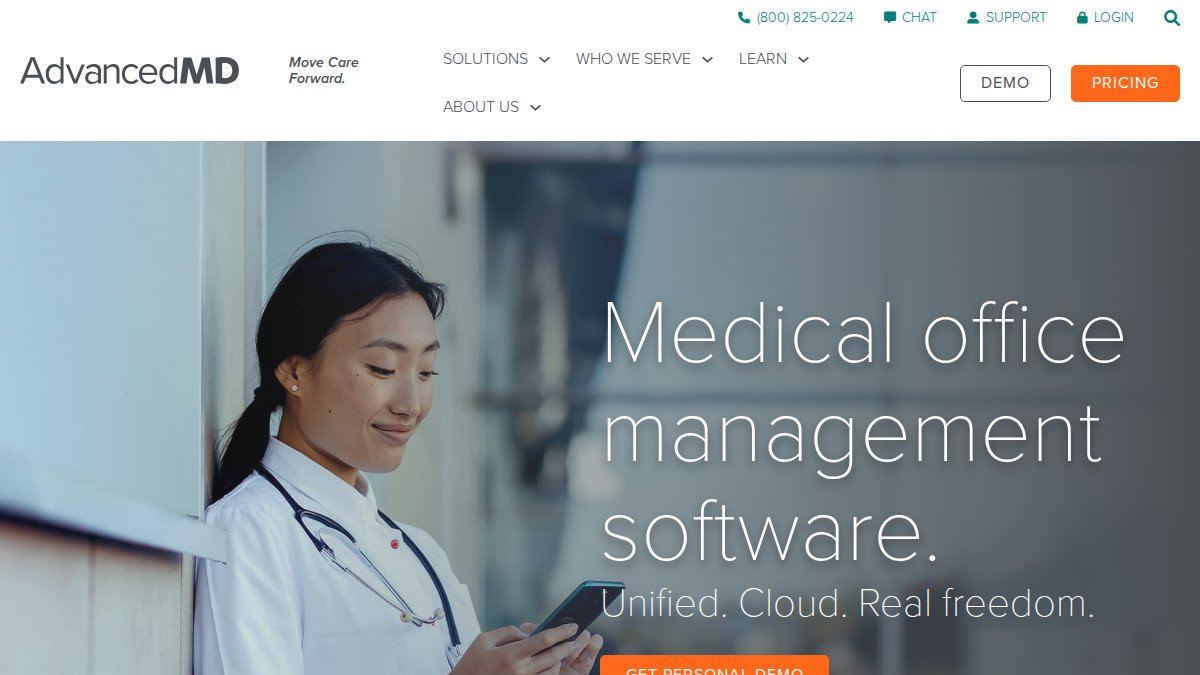
The platform covers EHR, practice management, and patient engagement in a single integrated suite. Specialty-specific pricing and templates mean a mental health practice and a physical medicine clinic can both run on the same system without forcing either into an ill-fitting workflow. The encounter-based pricing option is genuinely useful for practices with irregular or low patient volume.
Pros:
- Highly customizable workflows and templates by specialty
- Encounter-based pricing available for low-volume practices
- Integrates with numerous insurance carriers for cleaner RCM
Cons:
- Many features that are standard elsewhere cost extra as add-ons
- Pricing is not fully transparent and often requires a custom quote
Starting price: $130/month (for small mental health practices); subscription per provider or per encounter
What most reviews miss about AdvancedMD is the add-on cost structure. The base price looks competitive until you add patient reminders, advanced reporting, or additional specialty modules. Build a complete feature list before requesting a quote.
Kareo (Tebra): Best for Independent Practices Focused on Billing
Kareo, now operating under the Tebra brand, is built specifically for independent healthcare practices that want to manage billing in-house without outsourcing to a third-party RCM service.
The platform’s emphasis on maximizing insurance reimbursements and optimizing patient collections is evident in its feature set. Online scheduling, appointment reminders, secure messaging, and e-prescribing are included alongside the billing tools. Business analytics give practice owners visibility into performance without requiring a dedicated analyst.
Pros:
- Strong focus on insurance reimbursements and patient collections
- Integrated EHR and practice management reduces workflow fragmentation
- Flexible pricing including low-volume options
Cons:
- No free trial available
- Some users report inconsistent customer support response times
Starting price: $299/provider per month (for therapists); percentage of collections for billing services
Independent practices with 1-5 providers that want to keep billing in-house and need a platform that prioritizes reimbursement optimization over advanced clinical documentation.
Practice Fusion: Best Affordable Option for Independent Clinics
Practice Fusion is the most accessible entry point among the four platforms, both in price and in implementation complexity. The cloud-based EHR platform includes integrated billing services, e-prescribing, lab and imaging integrations, and a patient portal.

The 14-day free trial is a meaningful differentiator. It’s the only platform in this comparison that lets you test the product before committing. Lab and imaging integrations that submit orders and receive results directly in patient charts reduce the manual reconciliation burden for clinics with high diagnostic volume.
Pros:
- More affordable than most comparable platforms
- 14-day free trial available
- Straightforward implementation without extensive technical setup
Cons:
- Requires an annual commitment (billed annually, not monthly)
- No free plan available
Starting price: $199/provider per month with annual commitment
The annual billing requirement is worth factoring into your cash flow planning. The effective monthly cost is clear, but you’re committing upfront, which matters for newer practices managing tight budgets.
Cloud-Based Practice Management Software: Pros, Cons, and Top Picks
Cloud-based practice management software has become the default choice for independent practices and mid-sized physician groups, and for good reason. All four platforms reviewed above operate on cloud infrastructure, which reflects where the market has moved.
The practical advantages are real. Automatic software updates, vendor-managed security patches, and built-in disaster recovery remove significant IT overhead from the practice. Staff can access the system from any device with a browser, which supports telehealth workflows and remote administrative work. Patient portals and online scheduling integrate more cleanly with cloud architecture than on-premise alternatives.
The trade-offs are worth acknowledging honestly. Cloud platforms require reliable internet connectivity; a network outage can disrupt scheduling and billing operations. Data lives on vendor servers, which means your compliance posture depends partly on your vendor’s security practices. Review Business Associate Agreements carefully before signing.
On-premise systems still make sense for large healthcare organizations with existing IT infrastructure, specific data sovereignty requirements, or integration needs that cloud APIs don’t support cleanly. According to Gartner’s healthcare cloud adoption research, the majority of new practice management software deployments are cloud-first, but enterprise health systems often maintain hybrid environments.
For most independent practices evaluating options in 2026, cloud-based is the right default. The question isn’t cloud vs. on-premise; it’s which cloud platform fits your specialty, volume, and budget.
Practice Management Software Reviews: What Real Users Say
Reading vendor marketing is necessary but insufficient. What real users report after implementation tells a more complete story about where platforms succeed and where they frustrate.
A common pattern across practice management software reviews: platforms that score well on features often receive mixed feedback on customer support and implementation assistance. This matters more than most buyers anticipate during the evaluation phase. Setup typically takes four to eight weeks for a mid-sized practice, and the quality of onboarding support directly affects how quickly staff reach proficiency.
athenahealth users frequently cite strong RCM outcomes but note that the percentage-of-collections model requires careful monitoring as revenue scales. AdvancedMD users appreciate the customization depth but consistently flag the add-on cost structure as a frustration. Kareo/Tebra receives positive marks for billing functionality but mixed feedback on customer support responsiveness. Practice Fusion earns consistent praise for ease of use and implementation simplicity.
The thing nobody tells you about practice management software reviews is that most negative reviews reflect implementation failures, not product failures. A platform that isn’t configured correctly for your specialty workflows will underperform regardless of its feature set. Invest in proper implementation support, even if it costs more upfront.
User review patterns across practice management platforms consistently show that implementation quality and ongoing support responsiveness matter as much as feature depth. Evaluate vendor support SLAs with the same rigor you apply to feature comparisons.
Which System Should You Choose? A Decision Framework to Compare Medical Practice Management Systems
Picking the right system requires matching platform strengths to practice-specific priorities. Most practices that struggle with their software choice tried to find the "best" platform in the abstract rather than the best fit for their specific situation.

Use this framework when you compare medical practice management systems for your practice:
Step 1: Identify your primary pain point
- Revenue cycle management and billing: athenahealth
- Multi-specialty workflows and customization: AdvancedMD
- In-house billing for independent practice: Kareo (Tebra)
- Affordable EHR with integrated billing, tight budget: Practice Fusion
Step 2: Assess your volume and pricing model fit
- High and growing patient volume: avoid percentage-of-collections models
- Low or irregular volume: encounter-based pricing (AdvancedMD) reduces fixed cost risk
- Predictable mid-volume: per-provider subscription models offer cost clarity
Step 3: Evaluate integration requirements
- Telehealth integration needed: confirm native support vs. third-party connector
- Lab and imaging orders: Practice Fusion and athenahealth handle this natively
- Existing EHR you want to keep: look for standalone PM options or API compatibility
Step 4: Score support and implementation
- Request references from practices in your specialty
- Ask vendors for average implementation timeline and dedicated onboarding support
- Clarify support hours and response time SLAs before signing
Step 5: Run a true cost comparison
- Base subscription price is the starting point, not the final number
- Add per-provider fees, add-on module costs, and RCM service percentages
- Factor in implementation fees and training time
The Medical Management Tutorial team recommends running this framework before any demo. Vendors will show you their strengths; this process forces you to test against your weaknesses.
Choosing between platforms is genuinely difficult when every vendor demo looks polished and every feature list sounds comprehensive. Medical Management Tutorial exists precisely to cut through that noise. The platform’s resources help practices improve patient flow, strengthen billing processes, and reduce administrative friction through structured guidance on software selection, implementation, and ongoing optimization. Get started with Medical Management Tutorial and build the operational foundation your practice needs to grow without the guesswork.
Frequently Asked Questions
What is the difference between practice management software and an EHR?
Practice management software handles the administrative and financial side of a medical practice, scheduling, billing, claims processing, patient registration, and revenue cycle management. An EHR (Electronic Health Records) system focuses on clinical documentation, patient health histories, e-prescribing, and lab integrations. Many modern platforms like athenahealth and AdvancedMD combine both into an integrated suite, but understanding the distinction helps you identify which gaps your practice most urgently needs to fill.
What are the key features to look for in medical practice management software?
When evaluating medical practice management software features, prioritize: scheduling and patient registration, revenue cycle management and claims processing, eligibility checks, billing automation, reporting and analytics, HIPAA compliance, and patient portal access. Integration capabilities, especially with EHR systems, telehealth platforms, and lab systems, are increasingly critical. Also assess whether the platform supports referral management, staff management, and inventory control relevant to your specialty.
How much does medical practice management software typically cost?
Pricing varies significantly by platform and practice size. Based on the systems reviewed here: AdvancedMD starts around $130/month for small mental health practices; athenahealth starts near $140/provider per month; Practice Fusion is $199/provider per month with an annual commitment; and Kareo (Tebra) starts at $299/provider per month for therapists. Many vendors also charge a percentage of collections for full RCM services. Most do not offer free tiers, though Practice Fusion provides a 14-day free trial.
Is cloud-based practice management software better than on-premise solutions?
Cloud-based practice management software is generally preferred for independent and small-to-mid-sized practices because it eliminates the need for private hosting, reduces IT maintenance costs, and enables remote access. All four systems compared here, athenahealth, AdvancedMD, Kareo, and Practice Fusion, are cloud-based. On-premise solutions may suit larger healthcare organizations with strict internal data control requirements, but they typically involve higher upfront costs and ongoing infrastructure management.
How do I choose the right medical practice management system for my practice?
Start by identifying your biggest pain points: is it billing, scheduling, patient flow, or clinical documentation? Then match those needs to the system's strengths, for example, athenahealth excels at revenue cycle management, while AdvancedMD suits multi-specialty customization. Factor in your practice size, specialty, budget, and whether you need integrated EHR functionality. Always request a demo, check user reviews from sources like KLAS Research or TechRadar, and confirm HIPAA compliance and integration options before committing.