


Table of Contents
- What Is Patient Engagement Software and Why Does It Matter for UK Private Practices?
- Quick Comparison: Best Patient Engagement Software for UK Private Practices
- Must-Have Features for UK Private Practice Patient Engagement Platforms
- Automated Appointment Reminders UK: How Top Platforms Reduce No-Shows
- GDPR Compliant Patient Portal Software: What UK Clinics Must Verify
- Top Patient Engagement Software Options for UK Private Practices Reviewed
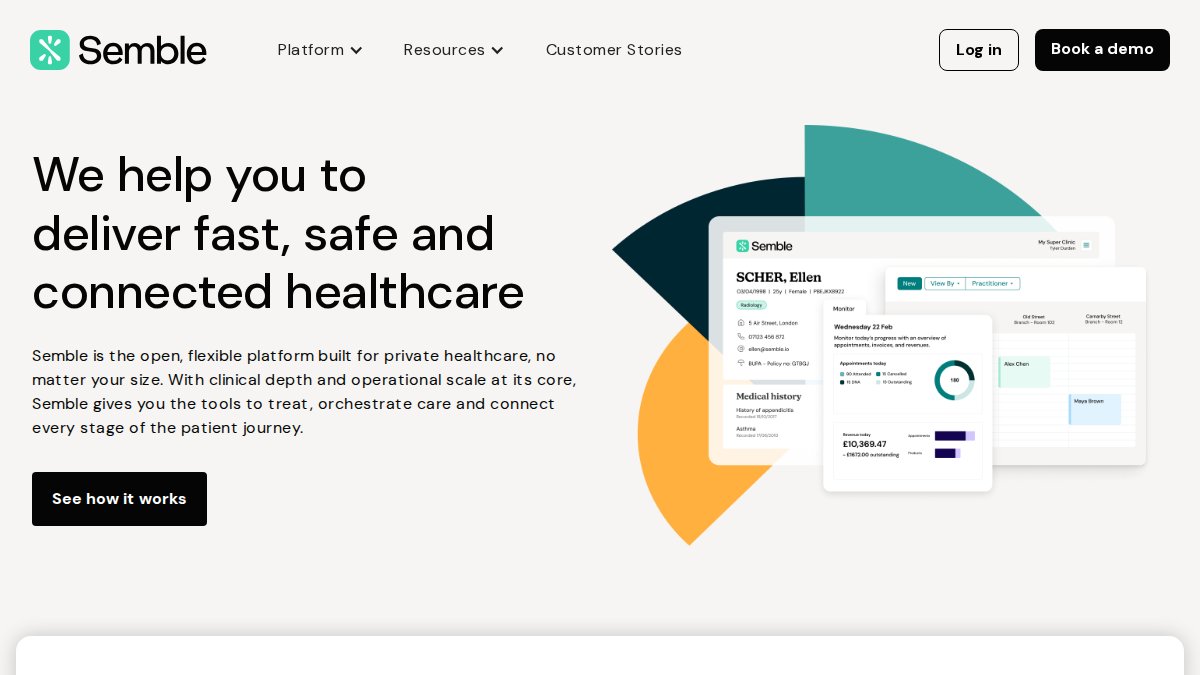
- Semble: Best for Connected Clinical and Administrative Workflows
- Medesk: Best All-in-One Solution for No-Show Reduction
- Pabau: Best for Aesthetic and Multi-Specialty Clinic Growth
- TouchPoints.health: Best for UK Consultants Needing High Security
- WriteUpp: Best for Allied Health Professionals and Small Clinics
- BookedSolid: Best AI-Powered Communication Layer for Existing Systems
- Carepatron: Best Budget-Friendly Option for Solo Practitioners
- Building a Patient Engagement Strategy for Private Healthcare: Cost, Adoption, and ROI
- How to Choose the Right Patient Engagement Platform for Your UK Practice
- Conclusion
Last Updated: May 19, 2026
Choosing the best patient engagement software for UK private practices is one of the most consequential technology decisions a clinic can make in 2026. At Medical Management Tutorial, we’ve analyzed the leading platforms on the market specifically through the lens of UK private healthcare requirements, including CQC standards, GDPR obligations, and compatibility with UK-specific practice management systems. Most guides on this topic are written for US audiences and miss the regulatory and operational realities facing British clinics entirely. Below, we’ll show you exactly which platforms stand out, what features actually matter, and how to match the right tool to your practice size and specialty.
Here’s what most guides get wrong: patient engagement software isn’t just about sending appointment reminders. The real value lies in building a continuous, compliant patient-provider relationship that reduces administrative burden, improves clinical outcomes, and keeps patients coming back. The platforms that deliver on that promise in the UK context are a shorter list than you’d think.
What Is Patient Engagement Software and Why Does It Matter for UK Private Practices?
Patient engagement software is a category of digital health technology that facilitates communication, scheduling, clinical data sharing, and ongoing interaction between healthcare providers and their patients through automated and self-service tools.
For UK private practices specifically, the stakes are higher than in NHS settings. You’re competing for patient loyalty, managing insurance billing through Healthcode or similar systems, and operating under both CQC oversight and GDPR data protection law simultaneously. A platform that doesn’t account for those realities isn’t a solution; it’s a liability.
The practical benefits are significant. Practices that adopt structured digital engagement tools typically see improvements across three areas: no-show rates drop when automated appointment reminders UK practices deploy are timely and multi-channel; administrative overhead falls when patient intake moves online; and patient retention improves when secure two-way messaging replaces phone tag.
The patient journey in private healthcare is also more complex than in general practice. Patients often self-refer, carry insurance documentation, and expect a consumer-grade digital experience. Software that can’t support online booking, a GDPR compliant patient portal, and telehealth in a single workflow creates friction at every touchpoint.
Patient engagement software for UK private practices must do more than automate reminders. It needs to integrate with UK billing systems, comply with GDPR and CQC standards, and support the full patient journey from first booking to clinical follow-up.
Quick Comparison: Best Patient Engagement Software for UK Private Practices
| Platform | Starting Price | Free Tier | Best For | GDPR/UK Compliance |
|---|---|---|---|---|
| Semble | Contact for pricing | No | Connected clinical workflows | Yes |
| Medesk | Contact for pricing | Yes | All-in-one no-show reduction | Yes |
| Pabau | £49/user/month | No | Aesthetic and multi-specialty growth | Yes |
| TouchPoints.health | Contact for pricing | No | High-security consultant workflows | ISO 27001 certified |
| WriteUpp | Contact for pricing | No | Allied health professionals | Yes |
| BookedSolid | Contact for pricing | No | AI communication layer | Yes |
| Carepatron | Free / £10/user/month | Yes | Solo practitioners on a budget | Yes |
This table gives you the headline picture. The detailed reviews below explain what each platform actually does well, and where each one falls short.
Must-Have Features for UK Private Practice Patient Engagement Platforms
Not every feature in a vendor’s brochure matters equally. After reviewing the UK private healthcare landscape, the features that genuinely move the needle fall into three categories.
Two-Way Patient Communication and Secure Messaging
One-way communication is a missed opportunity. Practices that only send reminders are leaving the most valuable engagement channel untouched. Secure two-way messaging allows patients to confirm appointments, ask pre-consultation questions, and receive post-visit instructions without calling the front desk.
The critical requirement in the UK context is that this messaging must be encrypted and compliant with GDPR data protection standards. That means no unencrypted SMS for clinical content, no consumer messaging apps like WhatsApp without appropriate data processing agreements, and clear audit trails for all patient communications.
Platforms like WriteUpp and BookedSolid handle this well. BookedSolid specifically supports multi-channel communication across SMS, WhatsApp, email, and web chat with appropriate compliance controls, which is useful for practices with high inbound call volumes.
EHR and Practice Management System Integration
The biggest hidden cost in patient engagement software is double-entry. If your engagement platform doesn’t talk to your EHR or practice management system, your staff ends up manually transferring data, which defeats the purpose of automation entirely.
For UK private practices, integration with Healthcode for insurance billing is a differentiator worth paying attention to. TouchPoints.health and WriteUpp both offer native Healthcode integration. Semble takes a broader interoperability approach, connecting with a range of third-party diagnostic and billing tools through an open API architecture.
A common mistake is choosing a platform based on its engagement features alone, then discovering it has no integration pathway with your existing PMS. Always verify integration compatibility before committing to a contract.
AI-Driven Automation, Chatbots, and Digital Triage
AI-driven tools are moving from novelty to necessity in private practice. The most practical applications in 2026 are automated appointment booking through conversational interfaces, digital triage that routes patients to the right clinician, and AI scribes that reduce clinical documentation time.
BookedSolid’s 24/7 AI-driven call handling is a strong example of this done practically. It manages inbound booking requests after hours and transfers to a human when needed, which directly addresses one of the most common revenue leakage points in private practice: missed calls outside reception hours.
Semble’s integrated AI scribe is worth noting for clinicians who spend significant time on documentation. Reducing note-taking time translates directly to more appointments per day or less clinician burnout, both of which affect practice economics.
Automated Appointment Reminders UK: How Top Platforms Reduce No-Shows
No-show rates in private healthcare are a genuine operational problem. Every missed appointment represents lost revenue, wasted clinical time, and a patient who may not return. Automated appointment reminders UK practices deploy through modern platforms address this through multi-channel sequencing, not just a single SMS.
The most effective reminder sequences combine an email confirmation at booking, an SMS reminder 48 hours before the appointment, and a final reminder or confirmation request 24 hours out. Platforms that allow you to customise this sequence by appointment type, clinician, or patient preference outperform those with rigid, one-size-fits-all workflows.
Medesk is the strongest performer here. Its automated SMS and email reminder system is specifically designed around no-show reduction, and the platform includes reporting tools that let you measure the actual impact on attendance rates over time. That feedback loop matters because it lets you optimise your reminder cadence based on real data from your own patient population.
WriteUpp also handles reminders well for smaller practices, with straightforward setup and reliable delivery. The difference is that Medesk’s reporting depth gives larger practices more to work with.
Set up a two-step reminder sequence: an email confirmation at booking plus an SMS reminder 24-48 hours before. Practices that use both channels consistently see better attendance rates than those relying on a single channel alone.
GDPR Compliant Patient Portal Software: What UK Clinics Must Verify
GDPR compliance in healthcare isn’t a checkbox. It’s an ongoing operational responsibility that sits at the intersection of UK data protection law, CQC registration requirements, and the contractual obligations you take on the moment you sign a software vendor agreement. According to the UK Information Commissioner’s Office guidance on healthcare data, patient health data is classified as special category data under UK GDPR Article 9, which means the legal threshold for processing it is materially higher than for ordinary personal data.
This section is deliberately more detailed than most software guides provide, because the consequences of getting it wrong, an ICO enforcement notice, a CQC compliance failure, or a patient data breach, are serious enough that ‘verify with your vendor’ is not sufficient guidance.
What UK GDPR Requires That US-Focused Guides Miss
Most patient engagement software reviews on this topic are written for a US audience and reference HIPAA. HIPAA and UK GDPR are not equivalent, and the differences matter for UK private practices:
- Lawful basis for processing: Under UK GDPR, you must identify a lawful basis for every category of data processing. For clinical data, this is typically Article 9(2)(h), processing necessary for the provision of healthcare, combined with a Schedule 1 condition under the Data Protection Act 2018. Consent alone is rarely the right basis for clinical records, because withdrawing consent would make ongoing care impossible. However, consent is the correct basis for marketing communications, appointment reminders sent for commercial retention purposes, and patient satisfaction surveys. Many practices conflate these and apply a single basis across all processing, which is non-compliant.
- UK GDPR post-Brexit divergence: Since 1 January 2021, the UK operates under its own retained version of GDPR, administered by the ICO rather than EU supervisory authorities. For most day-to-day compliance purposes the rules are substantively similar, but data transfers to EEA countries from the UK now rely on the UK’s adequacy regulations rather than EU mechanisms. If your vendor stores data in the EEA and transfers it back to UK-based staff, verify that their data transfer mechanism is documented under UK rather than EU frameworks.
- Data Processing Agreements: Under UK GDPR Article 28, you are legally required to have a signed Data Processing Agreement with every third-party vendor that processes patient data on your behalf. This is not optional and it is not satisfied by a vendor’s generic privacy policy. The DPA must specify the subject matter, duration, nature, and purpose of processing, the type of personal data and categories of data subjects, and the obligations and rights of the controller. Request this document before signing any software contract and have it reviewed if you are uncertain.
Four Verification Steps Before Signing Any Contract
When evaluating GDPR compliant patient portal software, UK clinics need to verify these four things in writing, not just in a sales call:
1. Data residency and storage location
Where is patient data stored, and where is it processed? UK or EEA storage is strongly preferable. Some US-origin platforms store data on AWS or Azure infrastructure in the US by default, with EEA or UK storage available only on enterprise tiers. Ask specifically: ‘Where are your primary and backup data centres located, and can you confirm this in writing as part of our contract?’ Platforms built for the UK market, Semble, Medesk, TouchPoints.health, WriteUpp, are more likely to default to UK or EEA storage, but always confirm.
2. Signed Data Processing Agreement
Does the vendor provide a signed DPA that meets UK GDPR Article 28 requirements? A vendor who cannot produce this document promptly is a compliance risk. Reputable platforms will have a standard DPA available for download or will issue one as part of the onboarding process. If a vendor asks what a DPA is, end the conversation.
3. Granular access controls
Can you restrict which staff members access which patient records, and does the platform maintain an audit log of who accessed what and when? This is both a GDPR requirement (data minimisation and access limitation) and a CQC expectation. In a multi-clinician practice, a receptionist should not have access to clinical notes, and a clinician should not have access to billing records they have no clinical reason to view. Verify that role-based access controls are available on the plan you are purchasing, not only on enterprise tiers.
4. Breach notification process
What is the vendor’s documented process if a data breach occurs? Under UK GDPR, you as the data controller are legally obligated to notify the ICO within 72 hours of becoming aware of a breach that poses a risk to individuals. Your vendor, as a data processor, is legally obligated to notify you ‘without undue delay’ after becoming aware of a breach. Ask for their incident response procedure in writing. A vendor without a documented breach notification process is a liability.
CQC Standards and What They Actually Require From Your Digital Systems
The Care Quality Commission does not audit software directly, but it does audit the outcomes and processes that your software is supposed to support. During a CQC inspection, inspectors may ask for evidence across several Key Lines of Enquiry that touch directly on your patient engagement systems:
- Safe: Can you demonstrate that patient data is protected from unauthorised access? This means documented access controls, staff training records on data handling, and evidence that your vendor agreements include appropriate data protection obligations.
- Effective: Can you show that your communication systems support continuity of care? A patient engagement platform that creates a documented record of appointment confirmations, pre-consultation information sent, and post-visit instructions issued supports this evidence base.
- Responsive: Can you demonstrate that patients can access your service in a timely way and that you act on patient feedback? Online booking data, response time records from your secure messaging system, and patient satisfaction survey results from platforms like Pabau all contribute to this evidence.
- Well-led: Do you have documented policies for how digital systems are used, who is responsible for data governance, and how staff are trained? A platform alone does not satisfy this; you need a named Data Protection Officer or responsible person, a written data protection policy, and records of staff training.
TouchPoints.health is the standout performer against CQC requirements. Its ISO 27001 certification, the international standard for information security management systems, provides independently audited evidence of security controls that most platforms on this list cannot match. For consultants and specialists handling sensitive clinical data, that certification provides a level of assurance that is directly relevant to CQC’s Safe key line of enquiry. Its visual longitudinal patient timeline also functions as a clinical governance tool: it creates a documented, time-stamped record of every patient interaction that supports both CQC audit readiness and clinical continuity.
Practices using any cloud-based platform should also verify that their vendor has completed a Data Protection Impact Assessment for their product. A DPIA is legally required under UK GDPR Article 35 when processing is ‘likely to result in a high risk’ to individuals, which health data processing almost always meets. Ask your vendor for their DPIA documentation. If they have not completed one, that is a significant compliance gap.
A Practical Compliance Checklist for UK Private Practices
Use this checklist when evaluating any patient engagement platform:
- Vendor provides a signed UK GDPR Article 28 Data Processing Agreement
- Patient data is stored in the UK or EEA by default on your chosen plan
- Vendor has completed a Data Protection Impact Assessment for their platform
- Role-based access controls are available and configurable
- Audit logs of data access are maintained and accessible to you
- Vendor has a documented breach notification procedure with defined timelines
- Your lawful basis for each category of data processing is documented in your Record of Processing Activities
- Staff have received documented training on data handling procedures for the platform
- Marketing and reminder communications use consent as the lawful basis, separately from clinical data processing
- Your vendor’s sub-processors (e.g. SMS gateway providers, cloud infrastructure) are listed in the DPA
Do not rely on a vendor’s self-certification of GDPR compliance without requesting supporting documentation. A privacy policy on a website is not a Data Processing Agreement, and a sales representative’s verbal assurance is not a legal commitment. Request the DPA, the DPIA summary, and the sub-processor list in writing before signing any contract.
For the definitive regulatory reference, the ICO’s guidance on data protection in health and social care settings is available at the UK Information Commissioner’s Office guidance on healthcare data and should be the primary source for any compliance questions that go beyond what a software vendor can answer.
Top Patient Engagement Software Options for UK Private Practices Reviewed
The following reviews are based on the product data available for each platform, assessed against the specific needs of UK private healthcare providers.
A clinic receptionist at a modern front desk using a tablet to manage patient appointments, with a bright, professional UK private clinic interior in the background

Semble: Best for Connected Clinical and Administrative Workflows
Semble is an interoperable EHR and practice management platform built specifically for UK healthcare providers. What sets it apart from US-origin platforms is its architecture: it’s designed from the ground up to connect with the diagnostic, billing, and referral systems that UK private practices actually use.
Key features: Automated appointment reminders and confirmations, integrated digital intake forms, secure patient messaging, video consultations, and an AI scribe for clinical documentation.
Pricing: Contact for pricing (subscription model).
Pros:
- Highly interoperable with third-party UK tools
- Modern interface that clinical and admin staff adapt to quickly
Cons:
- Pricing is not publicly listed, which makes budget planning harder without a sales call
Semble suits practices that want a single connected system rather than a patchwork of integrations. The AI scribe feature is genuinely useful for consultants with high documentation demands.
Medesk: Best All-in-One Solution for No-Show Reduction
Medesk takes a different approach. Where Semble leads with interoperability, Medesk leads with operational completeness. It includes EHR, billing, telehealth, and patient engagement tools in one subscription, with a particular emphasis on reducing missed appointments through automation.
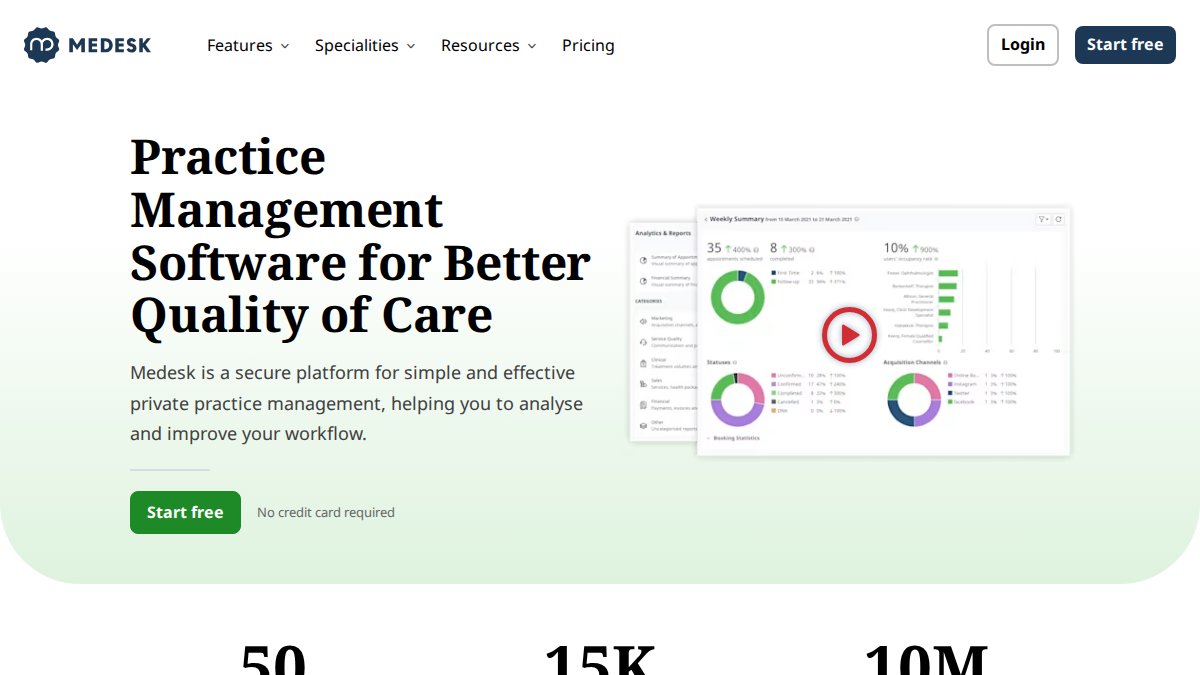
Key features: Automated SMS and email reminders, patient portal for online booking and record access, integrated telehealth, and bulk communication options for patient loyalty campaigns.
Pricing: Free tier available; paid plans available on request.
Pros:
- Strong no-show reduction focus with measurable reporting
- Built-in medical billing reduces the need for a separate system
Cons:
- Configuration complexity can be a barrier for very small practices without dedicated admin support
The free tier makes Medesk worth testing before committing, which is an unusual advantage in this market.
Pabau: Best for Aesthetic and Multi-Specialty Clinic Growth
Pabau is the most marketing-forward platform on this list. At £49 per user per month, it’s positioned for clinics that view patient retention and growth as active strategic priorities, not just operational outcomes.
Key features: Integrated EMR, billing, and marketing automation; online booking portal; automated patient feedback and review collection; comprehensive financial analytics.
Pricing: £49/user/month.
Pros:
- The marketing automation and review collection tools are genuinely differentiated
- Scales well for multi-location clinics
Cons:
- A solo practitioner or small allied health clinic will be paying for features they’ll never use
For aesthetic clinics and multi-specialty practices where patient acquisition and retention are revenue drivers, Pabau’s marketing layer pays for itself. For a two-room physiotherapy practice, it’s overkill.
TouchPoints.health: Best for UK Consultants Needing High Security
TouchPoints.health is built for the specific workflow of a UK private consultant. Its ISO 27001 certification, native Healthcode billing integration, and real-time medical transcription designed for UK clinical terminology make it the most UK-native platform on this list.
Key features: Personalized patient touchpoints, native UK medical transcription, Healthcode billing integration, and a visual longitudinal patient journey timeline.
Pricing: Contact for pricing.
Pros:
- Designed specifically for British medical workflows
- Best-in-class data security credentials
Cons:
- Primarily focused on individual consultants, which limits its fit for large multi-disciplinary teams
What most reviews miss about TouchPoints.health is that the visual patient timeline isn’t just a UX feature; it’s a clinical governance tool that supports CQC audit readiness.
WriteUpp: Best for Allied Health Professionals and Small Clinics
WriteUpp is the practical choice for physiotherapists, osteopaths, counsellors, and other allied health professionals who need a clean, easy-to-use system without enterprise complexity.
Key features: Automated SMS and email reminders, secure two-way messaging, online booking, and integrations with Square, Xero, and Healthcode.
Pricing: Contact for pricing.
Pros:
- Genuinely easy to set up and use without IT support
- Healthcode and Xero integrations cover the billing and accounting needs of most small UK practices
Cons:
- Not designed for complex hospital-style environments with multiple departments and clinical teams
Allied health providers like physiotherapists, osteopaths, and counsellors running small to medium practices who need reliable reminders, secure messaging, and clean billing integrations without a steep learning curve.
BookedSolid: Best AI-Powered Communication Layer for Existing Systems
BookedSolid occupies a specific niche: it’s not a full practice management system. It’s an AI-driven communication layer that sits on top of your existing PMS and handles the patient interaction workload your reception team can’t cover.
Key features: Multi-channel communication (SMS, WhatsApp, email, web chat), automated booking and reminders, 24/7 AI call handling with human transfer, and direct integration with Cliniko and Nookal.
Pricing: Contact for pricing.
Pros:
- Excellent for after-hours patient engagement and high call volume periods
- Integrates without requiring you to replace your existing system
Cons:
- Requires an existing PMS to function; it’s an enhancement, not a standalone solution
For practices with small reception teams or extended hours, BookedSolid solves a real problem without forcing a full system migration.
Carepatron: Best Budget-Friendly Option for Solo Practitioners
Carepatron’s free tier makes it the most accessible entry point in this list. For a solo practitioner just moving from paper-based systems to digital, it removes the financial barrier entirely.
Key features: Integrated telehealth, automated appointment reminders, secure patient portal, online scheduling, and payments.
Pricing: Free / £10 per user per month.
Pros:
- Free plan includes telehealth, which is unusually generous
- Clean interface with a short setup time
Cons:
- Advanced enterprise features, deep reporting, and complex workflow automation are not part of the offering
Carepatron is the right starting point. It’s not where you’ll stay as your practice grows, but it’s a legitimate option for getting started without a significant upfront investment.
Building a Patient Engagement Strategy for Private Healthcare: Cost, Adoption, and ROI
A patient engagement strategy for private healthcare isn’t just about picking software. It’s about designing the workflows, training the staff, and setting the patient expectations that make the software actually deliver results. And before you can do any of that, you need an honest picture of what the investment actually costs and what it realistically returns, broken down for your practice size, not averaged across a market that includes everything from solo GPs to multi-site surgical centres.
This section provides the cost-benefit framework that most software guides skip entirely, because the economics of patient engagement software look fundamentally different depending on whether you are a solo practitioner, a small specialist clinic, or a large multi-site private practice.

Cost-Benefit Analysis: Small Clinic vs. Large Multi-Site Practice
The most useful way to think about ROI from patient engagement software is to separate the return into three categories: direct revenue recovery (no-shows prevented), administrative time savings, and patient lifetime value improvement. Each of these scales differently with practice size.
For solo practitioners and small allied health clinics (1-3 clinicians)
At this scale, the primary financial case for patient engagement software is no-show reduction and phone call elimination. Consider a solo physiotherapist running 25 appointments per week at £70 per session. A no-show rate of 10%, which is conservative for a practice without automated reminders, represents roughly £175 in lost revenue per week, or around £8,400 per year assuming a 48-week working year. A platform like Carepatron (free) or WriteUpp (low monthly subscription) that reduces that no-show rate by half pays for itself many times over before any other benefit is counted.
The administrative time saving is equally significant at this scale, because solo practitioners typically handle their own admin or employ one part-time receptionist. Practices that move appointment confirmations, intake forms, and post-visit instructions to automated digital workflows commonly report saving several hours of phone and admin time per week. At the hourly cost of a part-time receptionist in the UK, that saving is material.
The right platforms at this scale are Carepatron (free tier, includes telehealth and reminders), WriteUpp (low monthly cost, strong Healthcode integration for insurance billing), and Medesk (free tier available, strong reminder automation). The total software cost for a solo practitioner should be under £100 per month, and the break-even point, measured against no-shows prevented alone, is typically reached within the first one to two months of consistent use.
For small to mid-size specialist clinics (4-15 clinicians, single site)
At this scale, the ROI calculation becomes more complex because the costs are higher and the integration requirements are more demanding. A platform like Semble or Pabau at this scale might cost several hundred pounds per month across multiple user licences. The return needs to come from multiple sources simultaneously: no-show reduction, billing efficiency (particularly for insurance claims through Healthcode), clinical documentation time savings, and patient retention.
The billing efficiency argument is often underestimated. A specialist clinic processing a significant volume of private insurance claims through Healthcode manually, chasing authorisations, reconciling payments, following up on rejections, can spend substantial receptionist and billing staff time on tasks that integrated platforms handle automatically or semi-automatically. TouchPoints.health and WriteUpp both offer native Healthcode integration; Semble connects through its open API architecture. Practices that have moved insurance billing into their engagement platform consistently report that the reduction in billing administration time alone justifies a meaningful portion of the software cost.
Patient retention is the third lever at this scale. A mid-size specialist clinic with a patient base of several thousand active patients has significant lifetime value at stake. A patient who receives a poor digital experience, no online booking, no post-visit follow-up, no easy way to request a repeat appointment, is more likely to switch to a competitor than a patient who receives proactive, personalised communication. Pabau’s automated review collection and patient recall tools are specifically designed to capture this value, and for clinics where patient acquisition costs are high, retaining existing patients is a measurable financial priority.
For large multi-site private practices and specialist centres (15+ clinicians, multiple locations)
At this scale, the economics shift again. The software cost is higher, enterprise tiers of Pabau, Semble, or Medesk for a large multi-site practice can run into four figures per month, but the return is also larger and comes from sources that don’t exist at smaller scale: cross-site patient routing, centralised reporting across locations, bulk patient communication for recall campaigns, and the administrative efficiency of a single integrated system replacing multiple disconnected tools.
The hidden cost that most large practices underestimate is the cost of not integrating. A multi-site practice running separate booking systems, a separate EHR, a separate billing platform, and a separate patient communication tool is paying for staff time to reconcile data across all of them, accepting the compliance risk of patient records being out of sync, and losing the reporting visibility that comes from a single connected system. As documented in NHS England’s digital transformation guidance for independent providers, practices that invest in integrated digital workflows report measurable reductions in administrative overhead over a 12-month horizon, and the compounding effect across a large team is proportionally greater.
For large practices, the platform evaluation should include a total cost of ownership calculation that accounts for implementation costs, staff training time, data migration, and the ongoing cost of any integrations that require custom development. Semble’s open API architecture makes it the most flexible foundation for complex multi-system environments. Pabau’s multi-location management tools and centralised financial analytics are specifically designed for this scale.
Implementation and Go-Live Timelines: What to Realistically Expect
One of the most consistently underestimated factors in patient engagement software decisions is how long it actually takes to go live and start seeing returns. Vendor sales timelines and real-world implementation timelines are frequently different.
For simple platforms at small-practice scale, Carepatron, WriteUpp, a motivated solo practitioner can be fully operational within one to two weeks. These platforms are designed for self-service setup, and the configuration complexity is low.
For mid-tier platforms with EHR integration, billing connectivity, and multi-user configuration, Medesk, Pabau, BookedSolid, realistic go-live timelines are four to eight weeks. This accounts for data migration from your existing system, staff training, patient communication about the new booking system, and the inevitable troubleshooting period after launch.
For enterprise implementations with complex integrations, Semble connecting to multiple third-party diagnostic and billing systems, or TouchPoints.health being configured for a large consultant practice, allow eight to sixteen weeks from contract signing to full operational use. Practices that underestimate this timeline and plan their marketing or patient communication campaigns around an optimistic go-live date create avoidable operational disruption.
Request a phased implementation plan from any vendor before signing. A credible vendor will be able to tell you exactly which features go live in week one, which require configuration in weeks two through four, and which depend on third-party integration timelines outside their control. A vendor who promises full functionality from day one of a complex implementation is either oversimplifying or has not assessed your requirements properly.
Overcoming Patient Adoption Barriers in the UK Market
Patient adoption is where many digital health implementations quietly fail. UK patients, particularly older demographics common in private specialist practices, often prefer phone-based communication and may resist self-service portals if the onboarding experience is poor.
This is not a technology problem. It is a behaviour change problem, and it requires a different approach than simply making digital tools available.
The UK private healthcare patient population skews older than the general population in many specialties, cardiology, orthopaedics, ophthalmology, and older patients are statistically less likely to adopt digital self-service tools without active support. According to the Digital Health and Care Alliance’s patient technology adoption research, offering patients a clear benefit for using digital channels, faster booking confirmation, direct access to their test results, or the ability to message their clinician without calling, significantly improves uptake compared to simply making digital tools available without active promotion.
Three patterns consistently distinguish practices with high patient adoption from those where the portal sits largely unused:
1. The patient-facing interface must be genuinely simple. If booking an appointment online takes more steps than calling, patients won’t use it. Test the patient-facing booking and messaging flow yourself, on a mobile device, before go-live. If it takes you more than three taps to reach the booking confirmation screen, it will take your patients longer. Platforms that require patients to create an account and verify their email before they can book a first appointment consistently see lower adoption than those that allow guest booking with account creation as an optional step.
2. The first digital interaction must be frictionless. The moment a new patient first encounters your digital system, typically when they receive a booking confirmation or a pre-appointment intake form, determines whether they engage with it or ignore it. Intake forms that ask for extensive information before a patient has even attended their first appointment create friction that drives patients back to the phone. A better approach is progressive data collection: capture the minimum at booking, collect clinical history through a pre-appointment form sent 48 hours before the visit, and complete the record after the first consultation.
3. Staff must actively promote digital channels. The most common reason patient portals go unused is that reception staff default to phone for convenience, both their own and the patient’s. If a patient calls to book and the receptionist books it for them rather than walking them through the online booking process, the adoption opportunity is lost. This requires a deliberate staff training and incentive structure, not just access to the software. Practices that track the proportion of bookings made through digital channels versus phone, and set targets for increasing that proportion, consistently outperform those that leave adoption to chance.
For practices with a significant proportion of older patients, consider offering a brief ‘digital onboarding’ call, five minutes with a receptionist who walks the patient through the portal on their first use. The upfront time investment pays back in reduced inbound call volume within weeks.
Avoid purchasing patient engagement software that doesn’t integrate with your existing billing or EHR system. The cost of manual data reconciliation across disconnected systems often exceeds the cost of the software itself, and creates compliance risks when patient records are out of sync. Before signing any contract, ask your vendor to demonstrate the specific integration with your current system in a live environment, not a sandbox demo.
Setting Realistic ROI Expectations: A Framework for UK Private Practices
Rather than promising specific percentage improvements, which vary too much by practice type, patient population, and implementation quality to be meaningful, the most useful ROI framework for UK private practices tracks four metrics from month one:
- No-show rate: Measure your baseline before implementation, then track monthly. A well-implemented reminder system should produce a measurable reduction within the first 60 days.
- Inbound call volume: Track the number of inbound calls to reception before and after digital booking and messaging go live. A reduction here directly translates to receptionist time available for higher-value tasks.
- Online booking proportion: What percentage of appointments are booked through the digital channel versus phone? This is your adoption metric. Set a target for where you want this to be at three months and six months post-launch.
- Patient retention rate: This is harder to measure in the short term but is the most significant long-term value driver. Track the proportion of patients who return for a follow-up appointment or book a second episode of care within 12 months.
For a broader view of how digital patient engagement fits into wider practice management strategy, the King’s Fund report on digital transformation in independent healthcare provides useful context on where the UK private sector is heading and what the evidence base for digital investment in independent healthcare actually shows.
How to Choose the Right Patient Engagement Platform for Your UK Practice
The best patient engagement software for UK private practices is the one that fits your specific clinical context, not the one with the longest feature list. Use this decision framework before making a final choice:
- Does the platform store data within the UK or EEA?
- Does the vendor provide a signed Data Processing Agreement under UK GDPR?
- Does it integrate with your existing EHR, PMS, or Healthcode billing system?
- Does it support the communication channels your patient population actually uses?
- Can you customise reminder sequences by appointment type and clinician?
- Does it offer a patient portal that works on mobile without requiring an app download?
- Is there a free trial or free tier available to test before committing?
- Does the vendor have UK-based support with knowledge of CQC and GDPR requirements?
For small and solo practices, start with Carepatron or WriteUpp and scale up when your volume justifies it. For specialist consultants with high data security requirements, TouchPoints.health is the most defensible choice. For multi-specialty or aesthetic clinics focused on growth, Pabau’s marketing and retention tools are genuinely differentiated. For practices that want a single connected system, Semble’s interoperability architecture is the strongest foundation.
The one pattern to avoid is choosing a platform based on a demo alone. Request a trial period, test the patient-facing booking and messaging flow yourself, and verify that the integrations you need actually work in practice, not just in theory.
For a broader view of how digital patient engagement fits into wider practice management strategy, the King’s Fund report on digital transformation in independent healthcare provides useful context on where the UK private sector is heading.
Medical Management Tutorial covers the operational and strategic dimensions of practice management in depth, helping UK clinicians and practice managers build the administrative foundations that make technology investments like these actually pay off.
The challenge for most UK private practices isn’t finding patient engagement software; it’s finding software that actually fits the regulatory environment, integrates with existing UK systems, and gets used consistently by both staff and patients. Medical Management Tutorial provides the strategic guidance to make that evaluation process faster and more rigorous, drawing on practical resources covering practice management courses, workflow optimisation, and administrative efficiency. If you’re ready to cut admin friction, improve patient flow, and build a more operationally sound practice, get started with Medical Management Tutorial and build the foundation that makes your software investment worthwhile.
Frequently Asked Questions
What is patient engagement software?
Patient engagement software is a digital health platform that streamlines communication and interaction between a clinic and its patients. It typically includes tools such as online booking, automated appointment reminders, a patient portal, secure two-way messaging, and telehealth capabilities. For UK private practices, the best platforms also integrate with existing EHR and practice management systems, helping to improve the patient journey, reduce administrative burden, and support better clinical outcomes.
Is patient engagement software GDPR compliant in the UK?
Reputable patient engagement software designed for UK private practices should be built with GDPR compliance as a core requirement, not an add-on. Look for platforms that offer end-to-end encrypted secure messaging, clear data processing agreements, UK or EU-based data storage, and documented data retention policies. ISO 27001 certification is a strong additional signal of security maturity. Always verify compliance claims directly with the vendor before signing a contract, particularly regarding how patient data is stored and shared.
How do automated appointment reminders reduce no-shows in UK clinics?
Automated appointment reminders in UK private practices work by sending timely SMS, email, or WhatsApp notifications to patients ahead of their scheduled visit. Platforms like Medesk and WriteUpp allow clinics to configure multi-stage reminder sequences, for example, one week, 48 hours, and two hours before an appointment. This reduces the cognitive load on patients and gives them easy options to confirm, reschedule, or cancel, freeing up slots for other patients and significantly cutting wasted clinical time.
What is the cost of patient engagement software for small UK practices?
Pricing varies significantly across platforms. Carepatron offers a free entry-level plan, making it accessible for solo practitioners. Pabau starts at £49 per user per month, which suits growing multi-specialty clinics. Many UK-focused platforms such as Semble, Medesk, and TouchPoints.health operate on custom subscription pricing, requiring direct contact for a quote. Small practices should factor in not just the licence fee but also setup costs, training time, and the potential revenue recovered through no-show reduction when evaluating overall value.
What features should I look for in a patient engagement platform for a UK private practice?
For UK private practices, the essential features include automated appointment reminders, a GDPR-compliant patient portal, secure two-way messaging, online booking, and integration with your existing EHR or practice management system. UK-specific considerations include compatibility with Healthcode for insurance billing, CQC-aligned data handling, and support for NHS terminology where relevant. AI-driven tools such as digital triage and automated intake forms are increasingly valuable for improving workflow automation and reducing administrative friction at the front desk.
How does patient engagement software improve clinic efficiency?
Patient engagement software improves operational efficiency by automating repetitive administrative tasks, appointment booking, reminders, intake forms, and follow-up communications, that would otherwise require staff time. This reduces phone call volumes, minimises manual data entry errors, and shortens patient wait times. Platforms with real-time insights and reporting dashboards also help practice managers identify bottlenecks in the patient journey. The cumulative effect is a leaner administrative workflow, stronger patient retention, and more time for clinical staff to focus on care delivery.